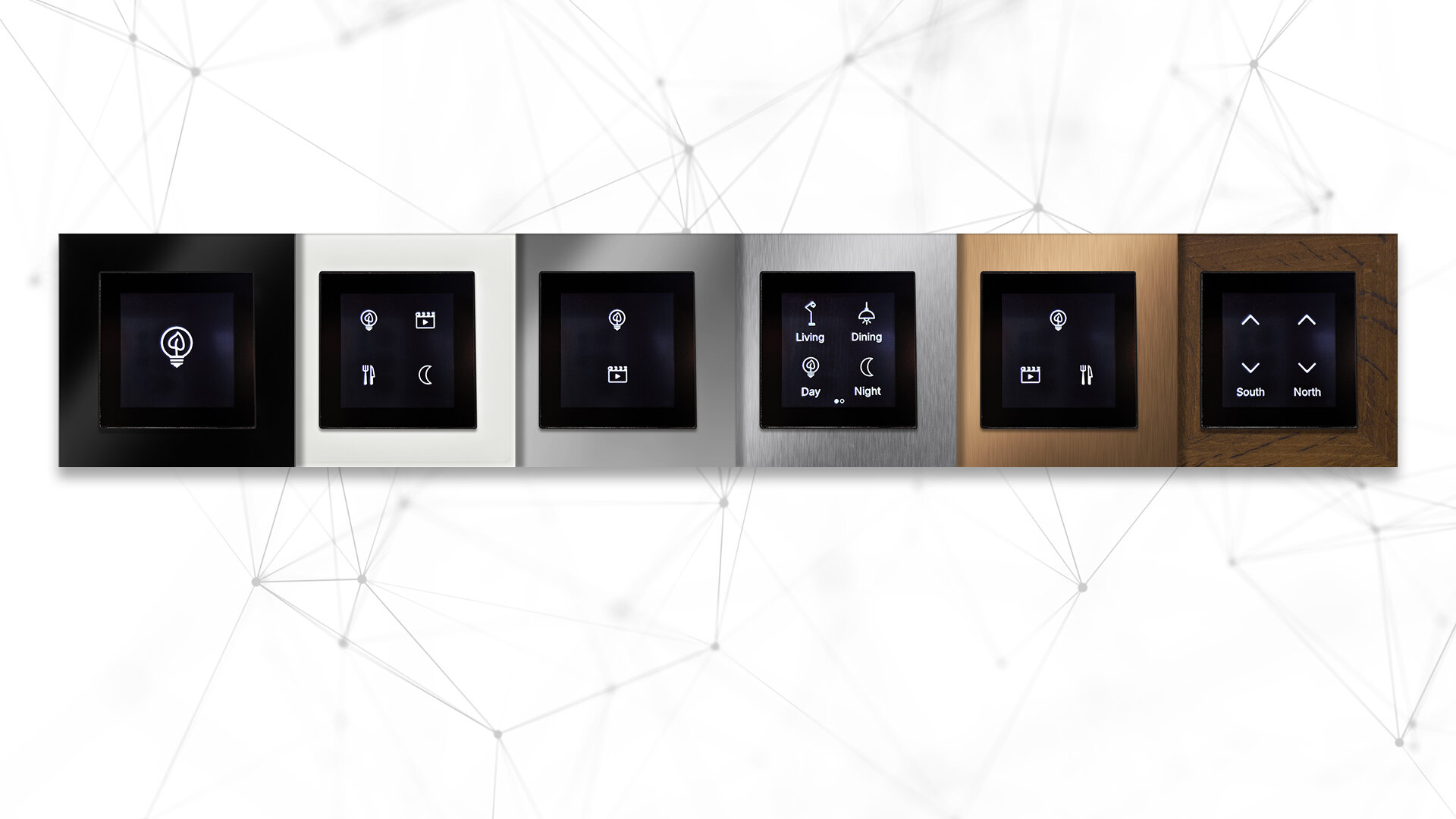
Discover the next generation of wall switches for up to eight Casambi channels. The LIGAAIR TOUCH adapts to your needs at any time. Skip complex project planning and choose up to eight icons and functions.
To operate the TOUCH, all you need on the receiving end is a Casambi-enabled luminaire or blind. Alternatively, an existing luminaire or blind can easily be retrofitted with a module (product overview). The Casambi app is available as a free download from Google Play or the App Store.
23 icons and a text editor for custom labels (Icon overview)
Each button can be assigned one of 23 icons, so its function is clear at a glance. Optionally, a label of up to 8 characters can be added to each icon – for maximum clarity of the Casambi system's user interface.
Numeric code and screen timeout
Pages 1 and 2 can each optionally be protected with a numeric code, so that only authorized users can access the functions. The screen timeout puts the display into standby mode after an adjustable 3 to 600 seconds. This prevents unintended operation while also protecting the touchscreen against burn-in.
Flush-mounted module and mounting frame
The scope of delivery includes the flush-mounted touch panel module ALLT.M.D.55.60, which is connected to the touch panel via a ribbon cable, and a hybrid mounting frame for CH and EU. A matching cover frame can be ordered separately.